
Title: RIFF RIOT
Genre: Turn-based tactics / Multiplayer / Co-Op PVP
Team Size: 15
Engine: Unity
Role: Game Designer
Project Duration: 7 months
Game Description: Riff Riot is a 2v2 turn-based tactics game.
Use action cards to give orders to your characters while communicating with your teammate to make combos. Both players on the same team play simultaneously and share all characters, they can place orders on any of them during the turn.
My contribution to:
Combat structure
Prototyped combat mechanics and transformed the rules into flowcharts to make the bridge between design and technical implementation.
Gameplay footage (1 min 10s)
Result: Fast pace PvP turn-based combats with flashy resolution phases. Both team can start strategising while the other is playing.
Problem: The original concept planned to be a PvE Co-Op experience with a rogue-like structure. After 3 months of production, we realised that the original design required technical capabilities that we could not support within our designated time frame. Leading us in the position to eventually fail the next milestone review and get the project cancelled.
Solution:
- I led the reassessment workshop with the designers and producer to identify which core ideas to salvage.
- Building from our current foundations, I proposed a revised concept that kept the game pillars and thematic intact (+ keeping the USP), while redirecting toward a Team PvP experience instead.
- I presented the new concept to the whole team to get their approval and technical insight on the feasibility of the idea, as well as gathering their questions.
- The following week, I updated the combat documentation to answer every question they asked and show them that the design team had a clear idea on where to lead the project.
- After that, the revised design was presented to the leadership team. Securing their approval to move forward.
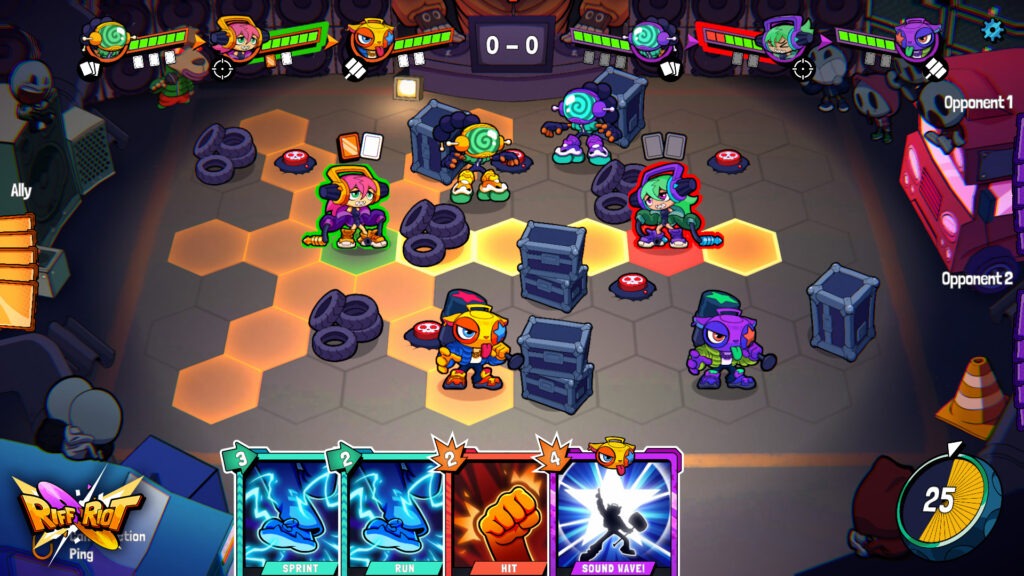
Attacking with the range character
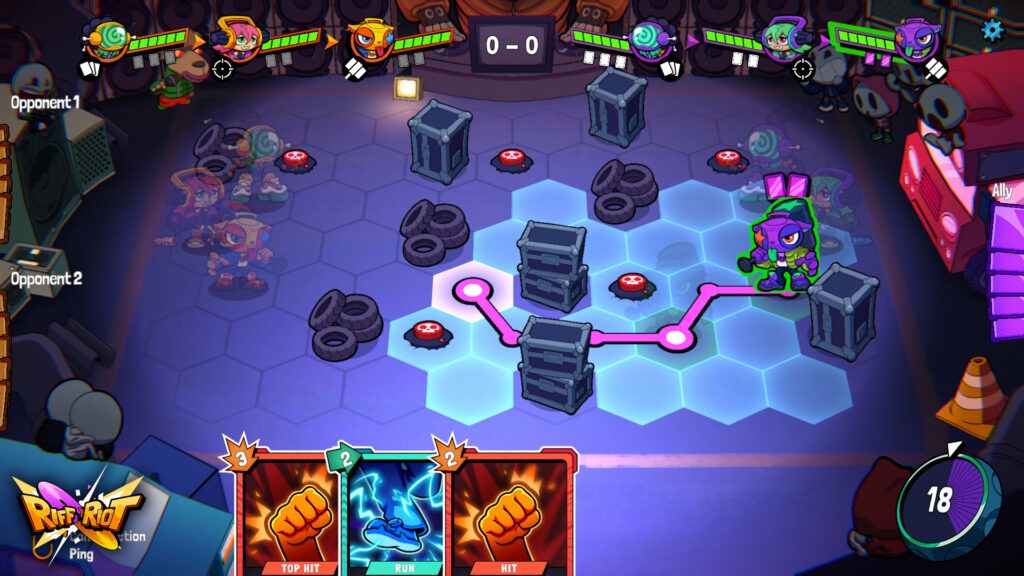
Moving a character by using a Movement card
My process on designing the combat
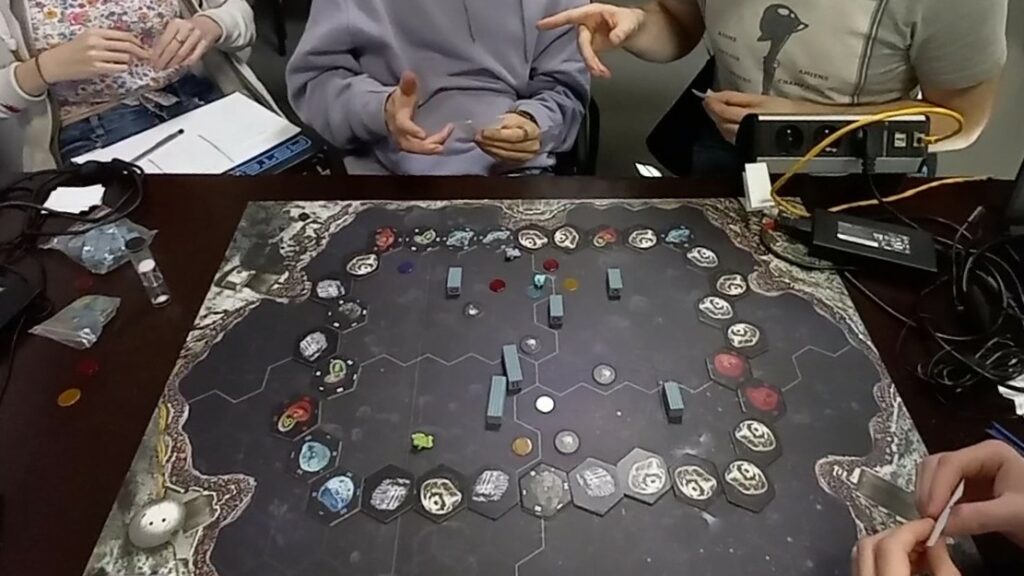
The team playtesting the paper prototype of the Co-Op concept
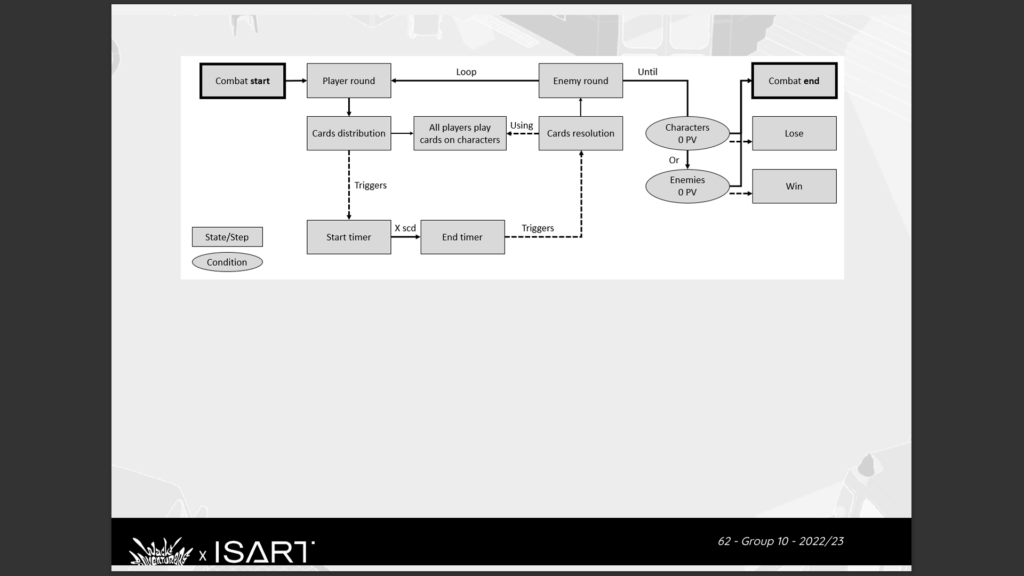
Combat structure of the Co-Op concept
- Paper prototyped various combats types using boardgame pieces (4 people as Players and 1 person as the enemy AI and game manager).
- Playtested these prototypes within the design team, then to other teams when a prototype catches interest.
- Once a prototype gained approval, I mapped the game and combat structure with flowcharts.
- Iterated on the combat details: Cards, Decks, Synergy, using paper prototypes.
- Followed technical prototypes advancement.
- During the meeting about re-assessing the project orientation. I put side by side the project framework and pillars, with the list of features planned. Then we decided how many we should cut.
- After removing the features like the enemy AI, I proposed to test the game in 2v2 on paper. After all, the enemy AI was played by a human during early paper prototypes. Which appeared to be the easiest way to twist our concept while still using our developed 3C.
- After deciding that it worked well, I presented the new concept to the project teams. Gathering questions, doubts and wants.
- I updated the documentation with the new structure. Removed surplus elements. Guided each member through the changes that impacted them.
- Polished the combat details and followed the integration in-engine.
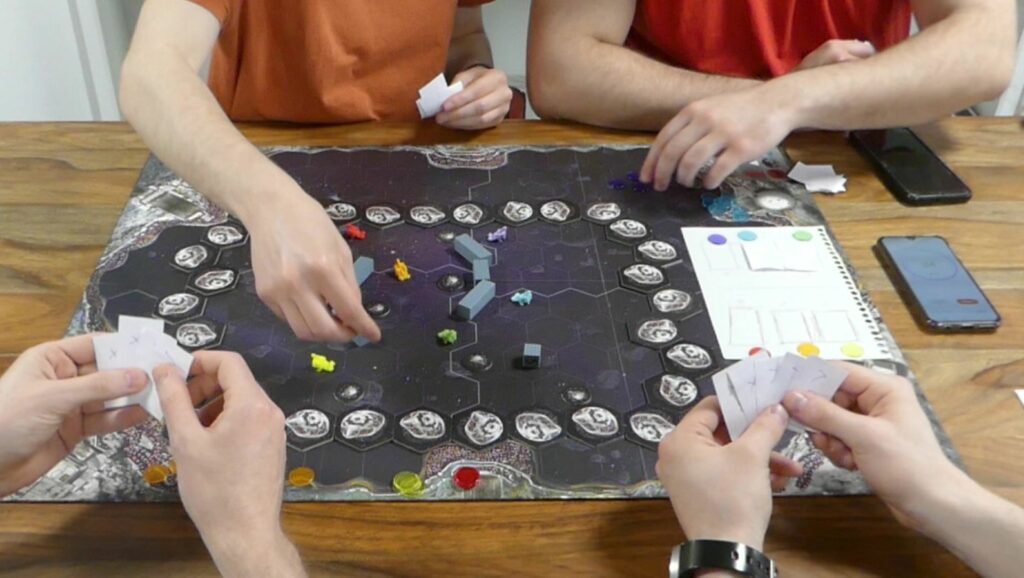
Testing of the PvP concept with paper prototype
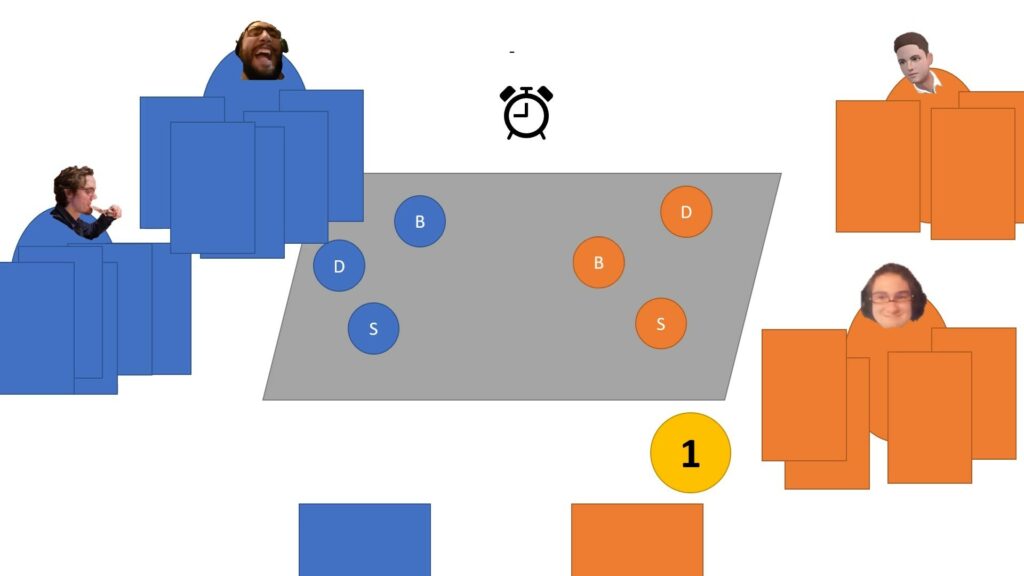
Presentation of the new PvP concept to the team with an animated PowerPoint
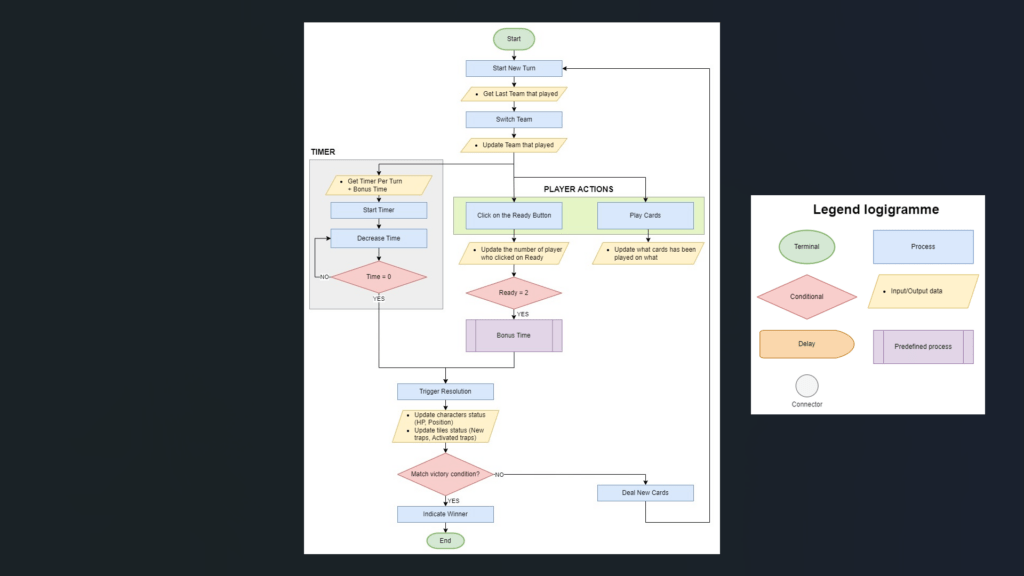
Detailed flowchart for the combat flow of the PvP concept
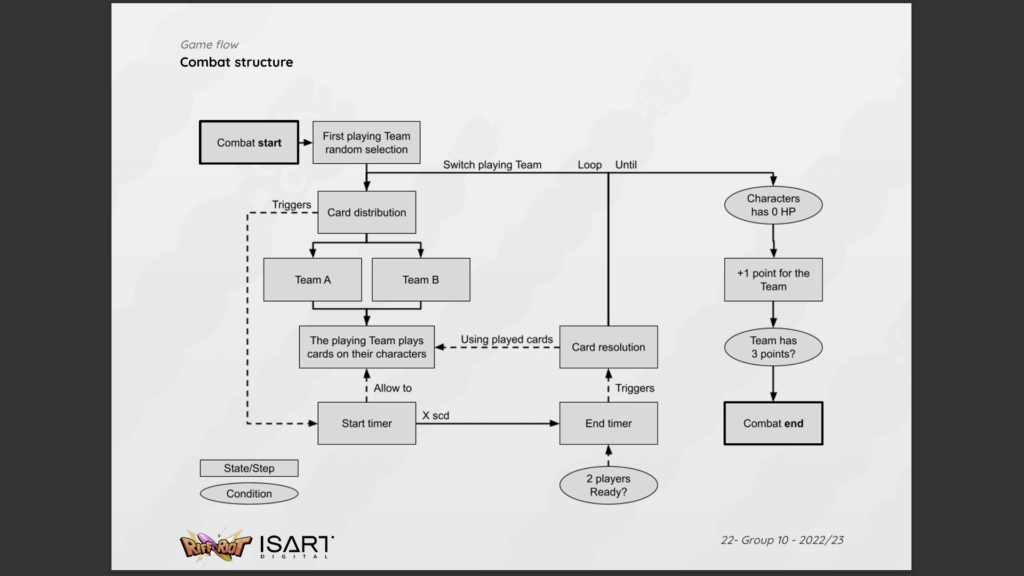
New combat structure documentation for the PvP concept
Combat Details
Developed in detail the respawn, initiative and card dealing systems to provide fair matches and enhance cooperation between teammates.
Respawn system
Result: A dynamic respawn system that doesn’t handicap the losing team.
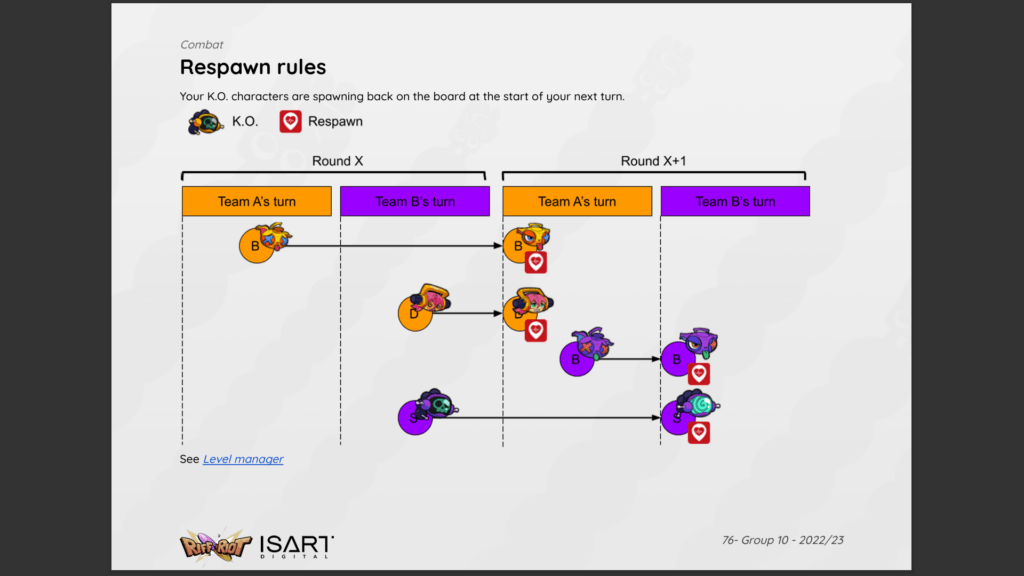
Respawn timing to prevent spawn kill & team disadvantage
Problem: In PvP games, the first team to make the kill generally get an advantage from it (e.g. score, resource or numerical advantage).
For this game, the goal was to leverage both teams on the same level to propose a fair combat until the end.
Solution:
- Give the characters the ability to respawn to never be outnumbered.
- Prevent spawn kill by respawning their characters on their Team’s turn.
- Lessening players’ friction when losing a character and give them the hope of a comeback by having free and unlimited respawns until the game over.
My approach:
- I noted what situations lead a Team to have an unfair advantage over the other (e.g. outnumber, card advantage) from the paper prototypes.
- Found solutions to lower the disadvantage of the losing Team while still rewarding the opponent, by applying the principle of small victories and non zero-sum game (e.g. respawn system, hand shuffle).
- Polished the details until satisfaction and observed players’ behaviours during playtests to tweak the system.
Initiative system
Result: A randomised action resolution order determined at the start of the match, giving re-playability while still allowing players to strategise within a single match.
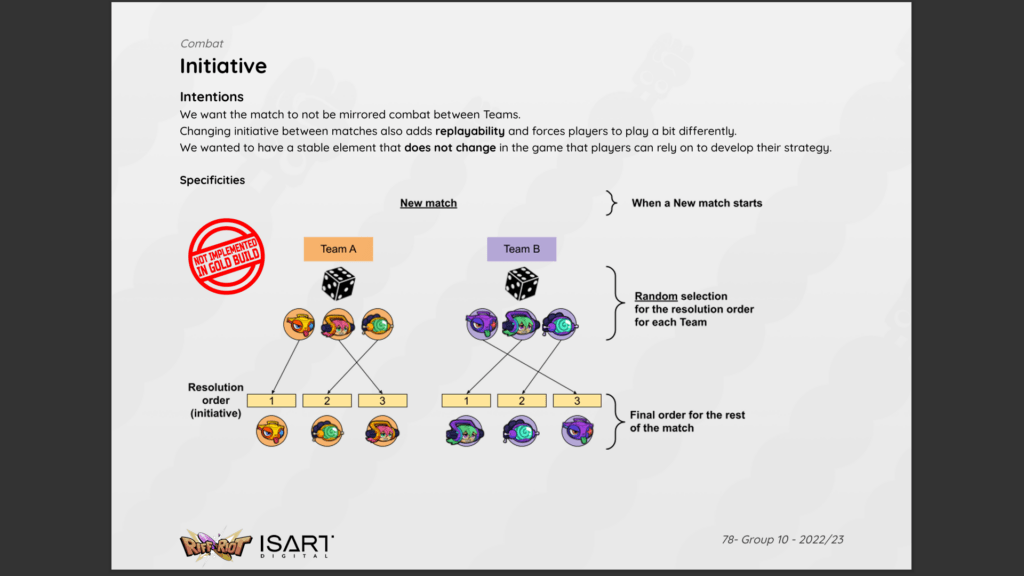
Intended initiative system to improve re-playability with some randomness
Problem: The initiative system is key to give re-playability within a small amount of levels and characters (avoiding mirror combat), but risks to give an advantage to the first Team playing or to prevent strategy if every turn is randomised.
Solution:
- Randomised the Team playing first every match.
- Randomised which character act first during the resolution phases.
- Kept the same order the whole match to allow players to strategise around a fixed variable.
- Made matches quick to favour replaying and not linger on defeat.
- Gave the opportunity to players to blame defeat on the randomness.
My approach:
- Looked how initiative is made in PvE and PvP turn-based games (e.g. D&D, Trials of Fire, Atlas Reactor).
- Adapted to our specific gameplay through prototypes.
- Playtested the changes to players. Saw how they felt and iterated on it.
Decks & hands
Result: A common deck shared between players of the same team. The hands are discarded every turn to incite using all cards in the hand and improvise.
Hand discarded at the end of the turn
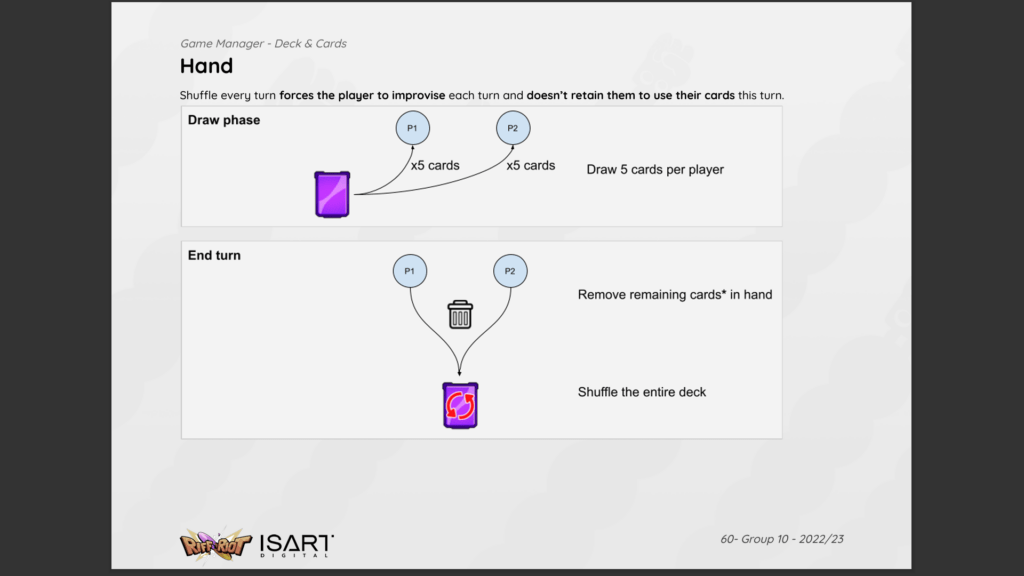
Chart explaining the Deck behaviour and dealing of players’ Hand
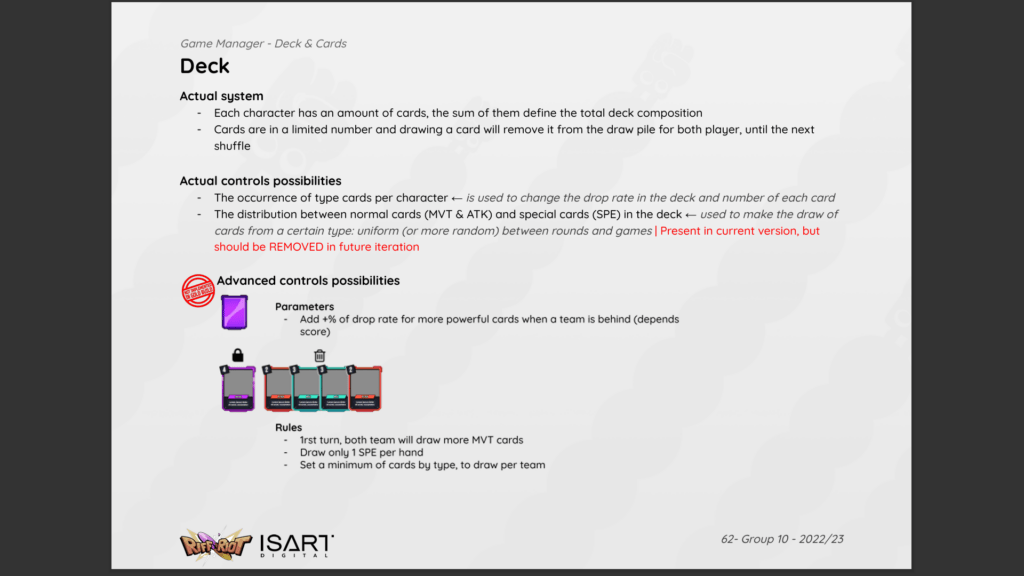
Description of the Deck system and parameters available for design balance
Problem: The goal was to incentivise players to work with their teammates and build a strategy together.
Solution:
- Built a shared Deck for the team, with custom quantity of cards based on the selected characters.
- Each player’s hand draws from the same Deck to impose cooperation if someone have mainly Attacks, and the other Movement cards.
- Only one Special attack card per player’s hand. Limiting a luck-based draw to give all most powerful cards to only one player of the team.
- The hand is discarded at the end of the turn to incite player to use all their card. Except for the Special card that stays in the hand between turns, in order to build a team strategy around a powerful ability.
- At the beginning of the game, Movement cards have more chance to be draw the first turn because each Team start on the extremities of the level.
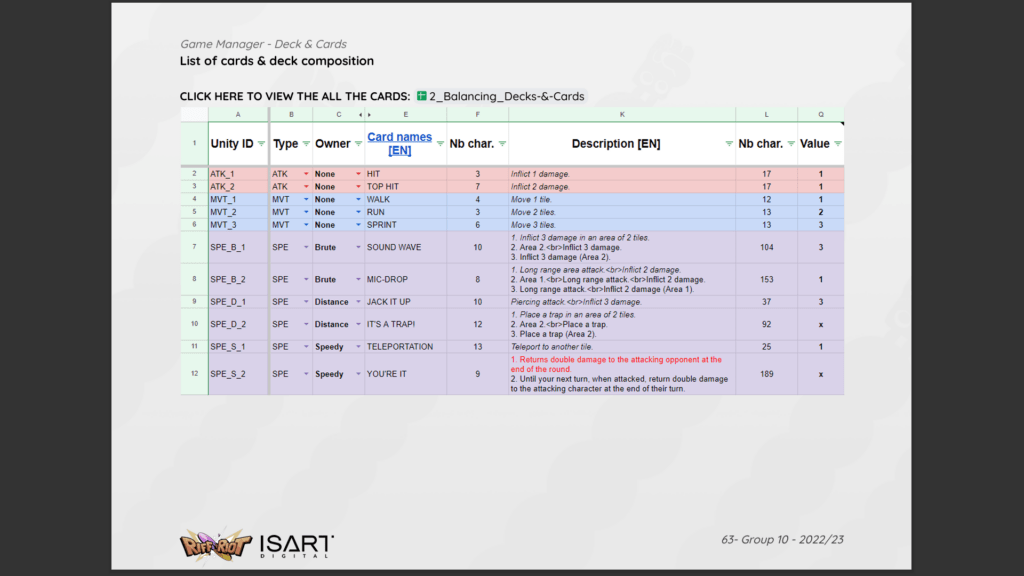
Snippset of the Card spreadsheet directly imported into the game
My approach:
- Used paper prototypes to test different dealing methods. Balanced the parameters that most likely achieve the feature intention on several played matches.
- Communicated the system’s rules to the programmers through graphs.
- Asked for access to specific parameters to ease future iterations for designers.
- Tested and refined the balance of drawing cards in the engine.
Tutorial and First time user experience
Designed and implemented the 2 players tutorial level – teaching: basic controls, turn succession and goals of a match.
Result: Give a first understanding and taste on how the game plays under ~2 minutes.
Introduced tens of players to the basics – while waiting to play a real match – at a professional event where the game was presented, in 2023.
Tutorial walkthrough
Problem: The challenge was to give a really short introduction (due to the event constraints) without overloading the player’s with information.
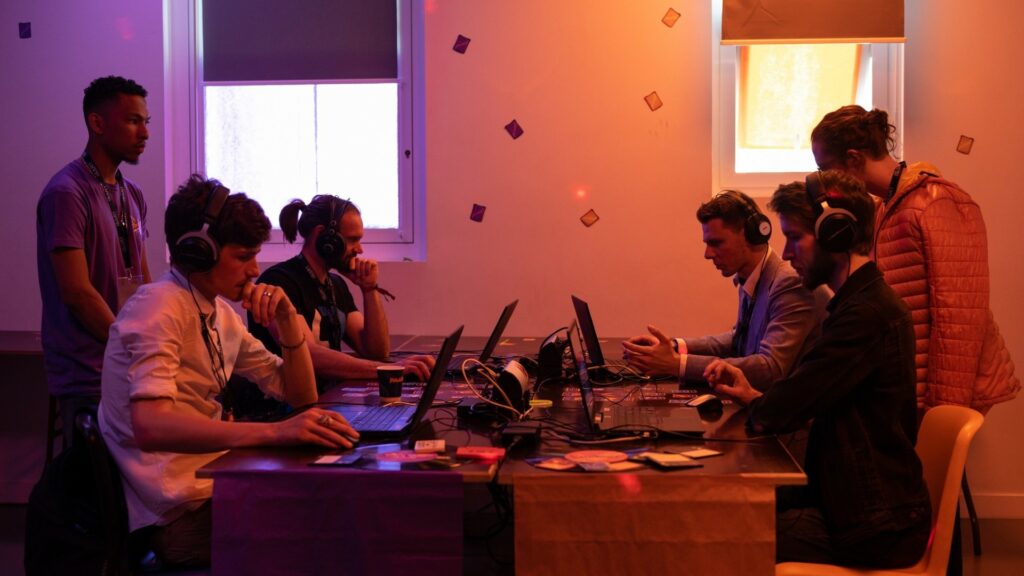
Public demonstration of the game in 2023 at ISART Talents
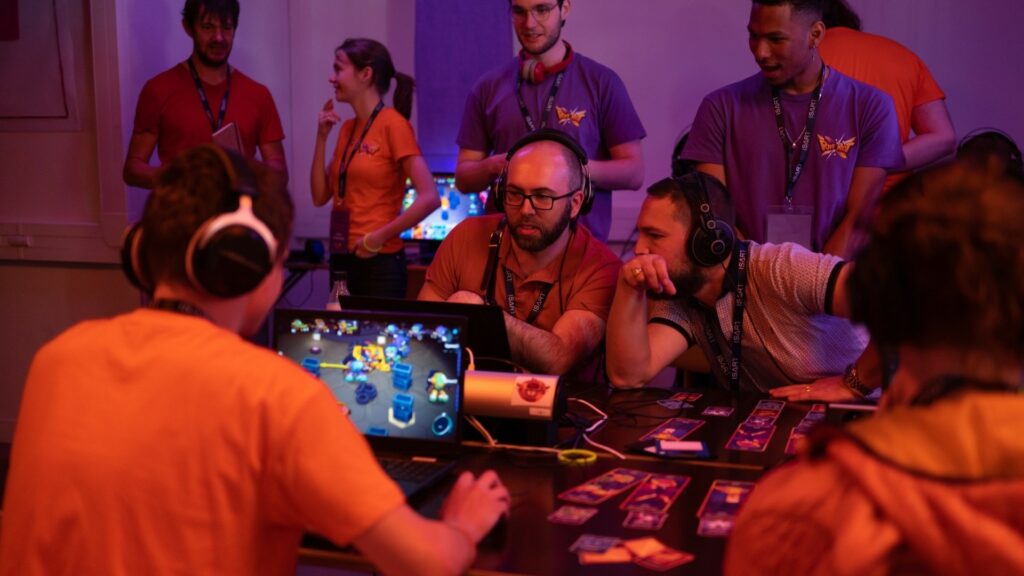
Public demonstration of the game in 2023 at ISART Talents
Solution:
- Made an interactive tutorial in 5 steps, where the players go through a standard round with no enemies reaction or time limit, to focus on learning and experience the unique feature of the game.
- The tutorial let them experiment by never showing them what do to, only telling their short term goal.
- The sequence adapts to experimentation by always giving players the right tools to accomplish the current step.
- The controls actions are shown at any moment on the HUD.
My process on designing the tutorial
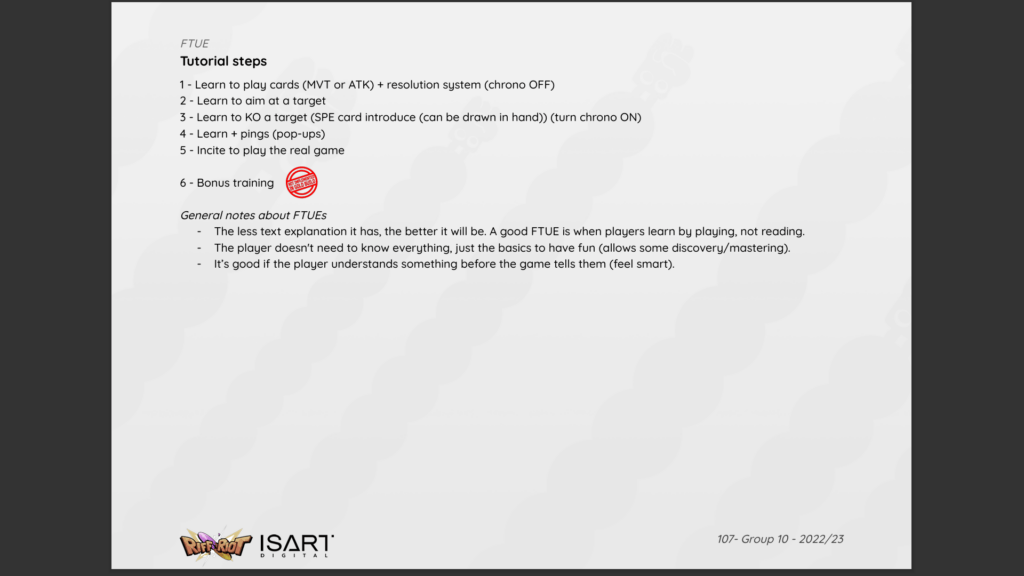
1. Listed the actions needed to play the game. Organised by essentials, secondary, tertiary, etc. Researched how good tutorials are made.
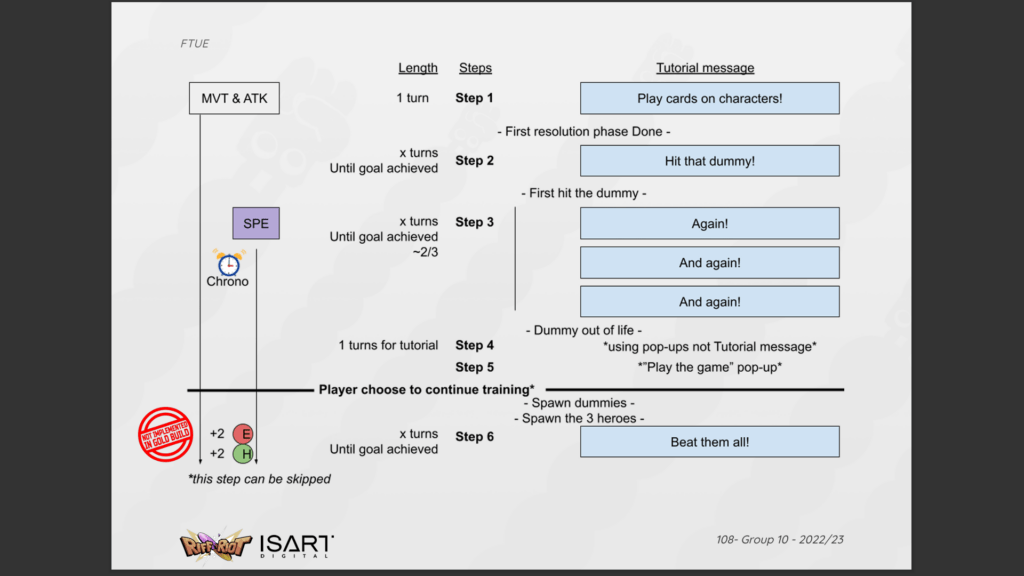
2. Planed a scenario to learn by doing every action.
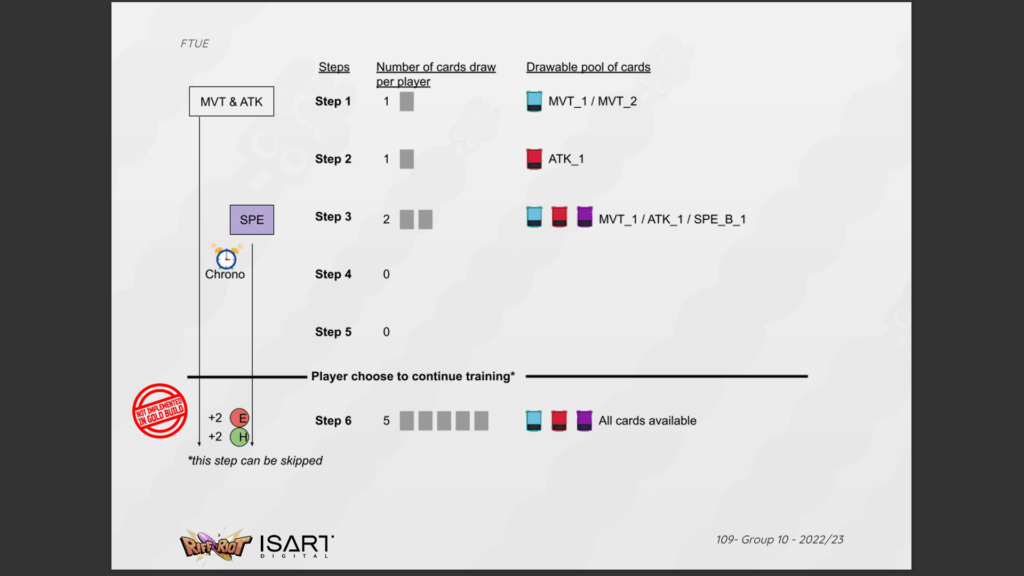
3. Removed unessential noises that can cause information overload and disturb the learning (play 1 character instead of 3, no time limit, no enemy action, teach basic elements not their nuances, draw fewer cards).
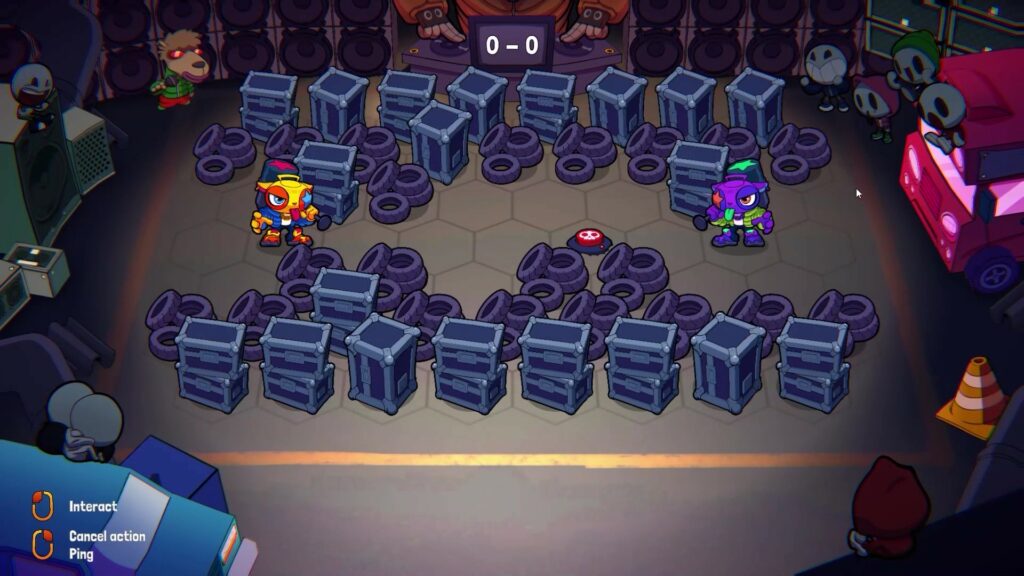
4. Designed and integrated the level layout for the tutorial, then branched the scripted events inside the engine.
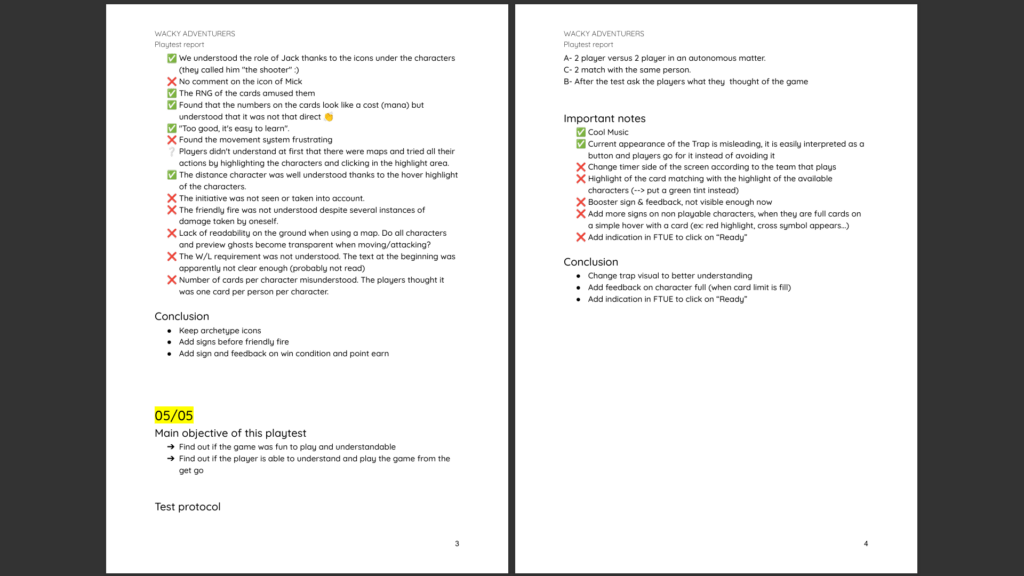
5. Playtested with external players then iterated on the signs and feedback of the game to ease comprehension without more tutorial.
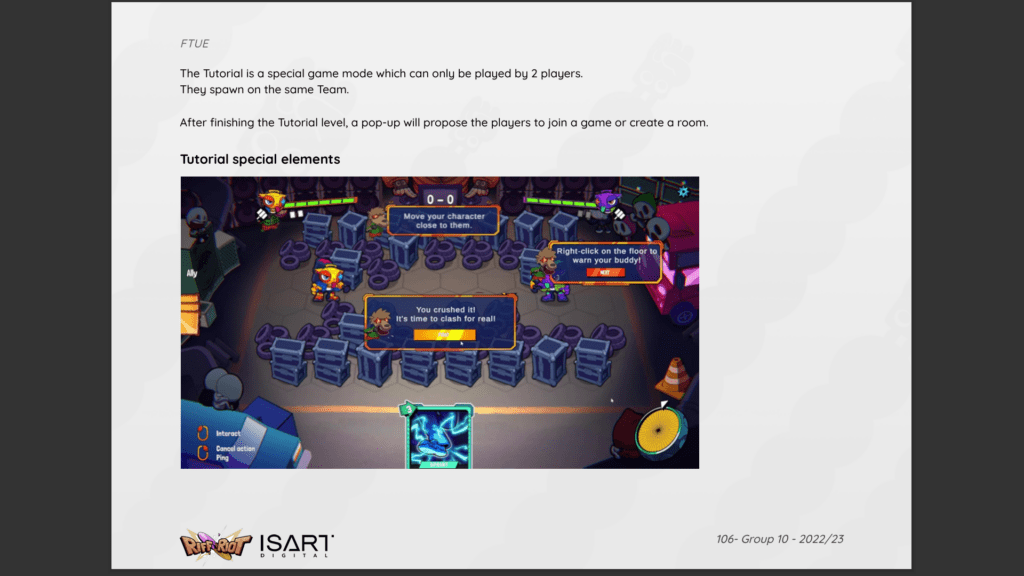
6. Added narration fluff to the pop-ups to get players into the mood of the game.
Controls & Ping System
Designed the controls of the game to use only the two primary mouse buttons for maximum simplicity. Designed the ping system to communicate visual informations on the level during a match.
Controls (3C)
Result: Easy controls to pickup by using only 2 buttons of a mouse.
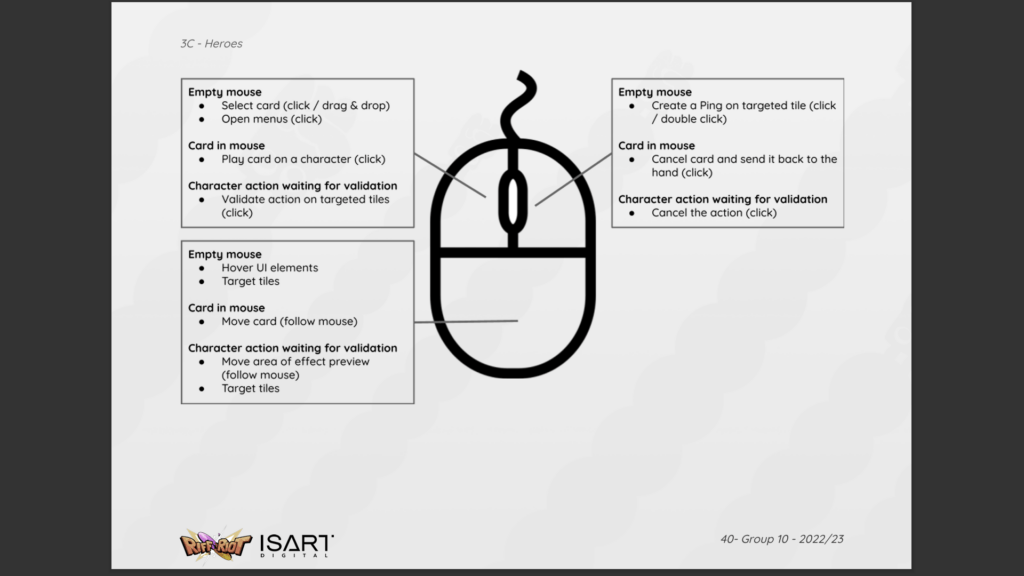
Exhaustive list of controls and states
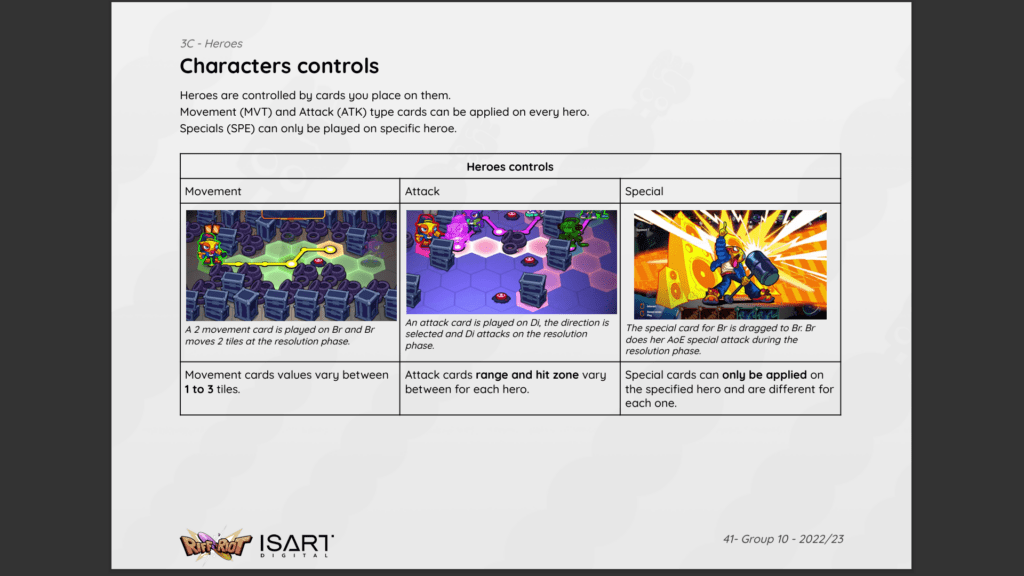
Character actions list
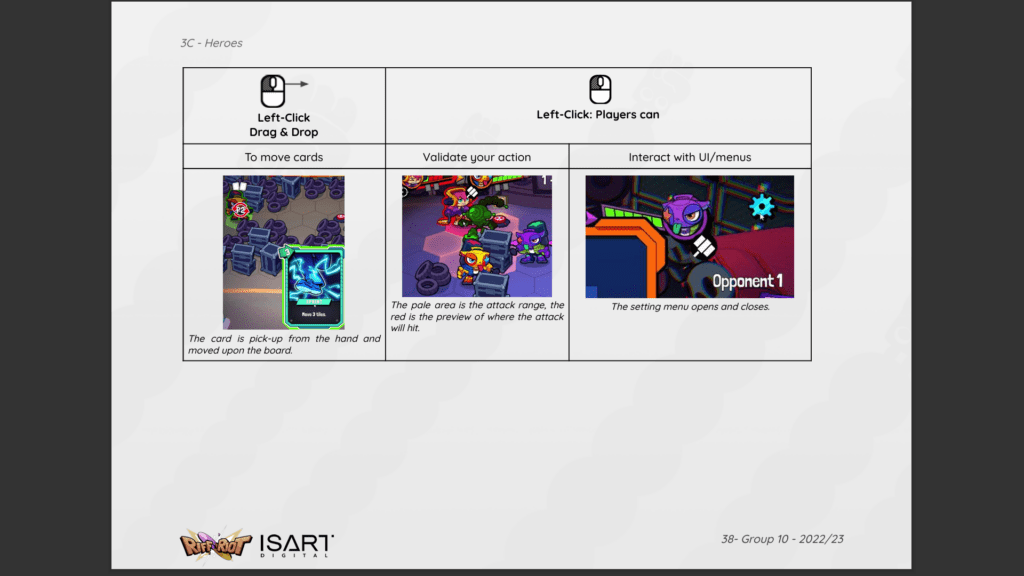
Detailed controls for left-click actions
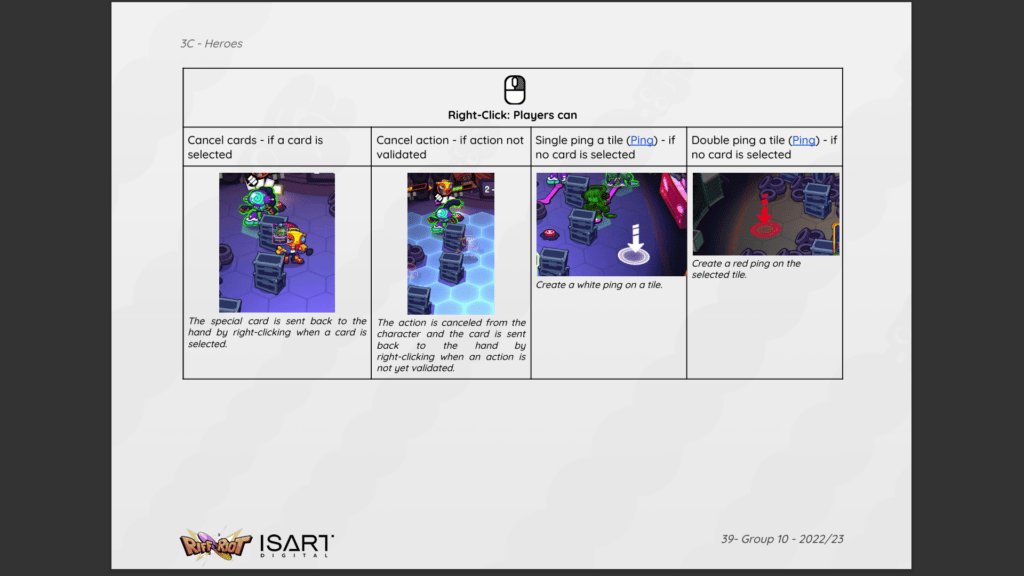
Detailed controls for right-click actions
Problem: How to make a fast-paced game easy to control to allow short matches without removing the strategy depth of the tactics genre.
Solution:
- Utilised only the primary keys of a widely used controller for games (mouse).
- Changed the keys actions based on the element hovered and its state (contextual actions).
- Used the draw motion of the mouse to make the movement path for the characters on the hexagonal grid.
- Show the most important controls and their key at all time on the HUD.
My approach:
- Looked how cards and tactics games are played on mobiles or tablets (Phobies, Hearthstone).
- Listed every actions that can be performed by the player.
- Divided them between our 2 buttons and the mouse movement/hovering. Decided under which condition each action activates.
- Playtested by explaining it to testers at the beginning of the session and watched if the layout stuck or if they needed reminders every time they wanted to do something. Gathered feedback on which info they missed.
- Cranked up the signs and feedback to highlight the different states of the elements and controls. Added visual clues to help first time players to make their first guess on the controls.
- Teaching the controls inside the tutorial.
- Added a visual reminder on the HUD.
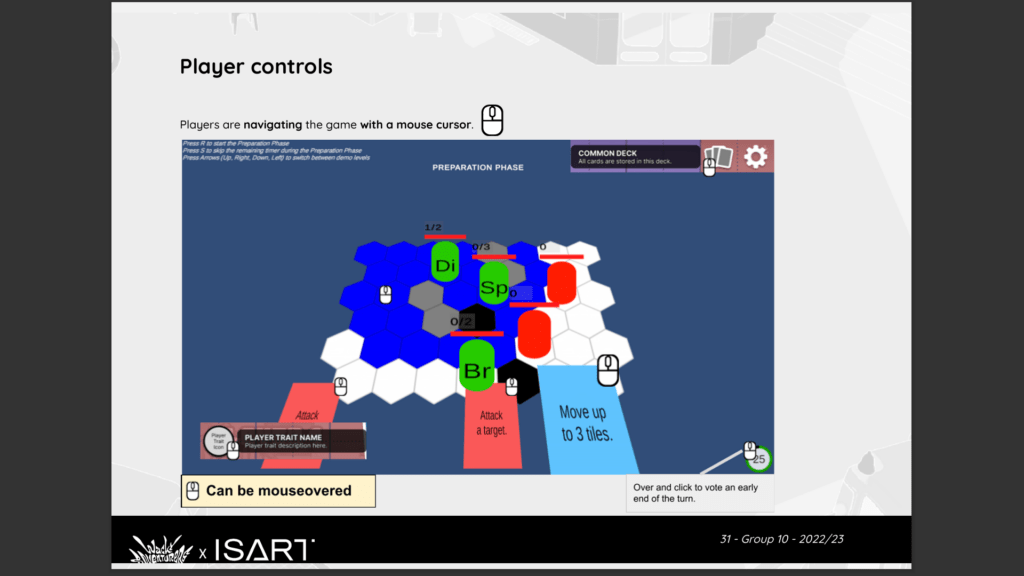
Early prototype hover’s action overview
Ping system
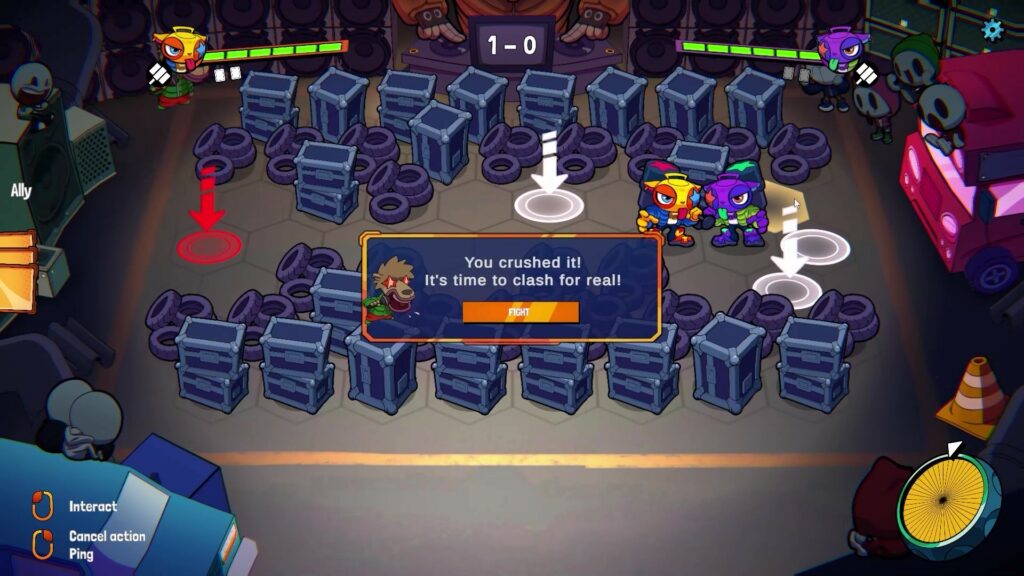
Practicing pings in the tutorial level
Result: A bicolour ping that is used to highlight chosen tiles to ease the voice communication.
Problem: Building a ping system to communicate important elements on the level without compromising simple controls.
Solution:
- Used the idle state of the mouse with a right click on the board to show a white ping.
- Changed the colour of the ping to red by double clicking to give more options to communicate.
My approach:
- Looked at ping systems Team PvP or Co-Op games (League of Legends, Apex Legends, Baldur’s Gate 3, Hunt: Showdown 1896).
- Simplified the ping functionality to a minimum to not override other controls, which could confuse players.
- Gave two colours of pings for a more nuanced communication between advanced players.
- Introduced the ping system in the tutorial.
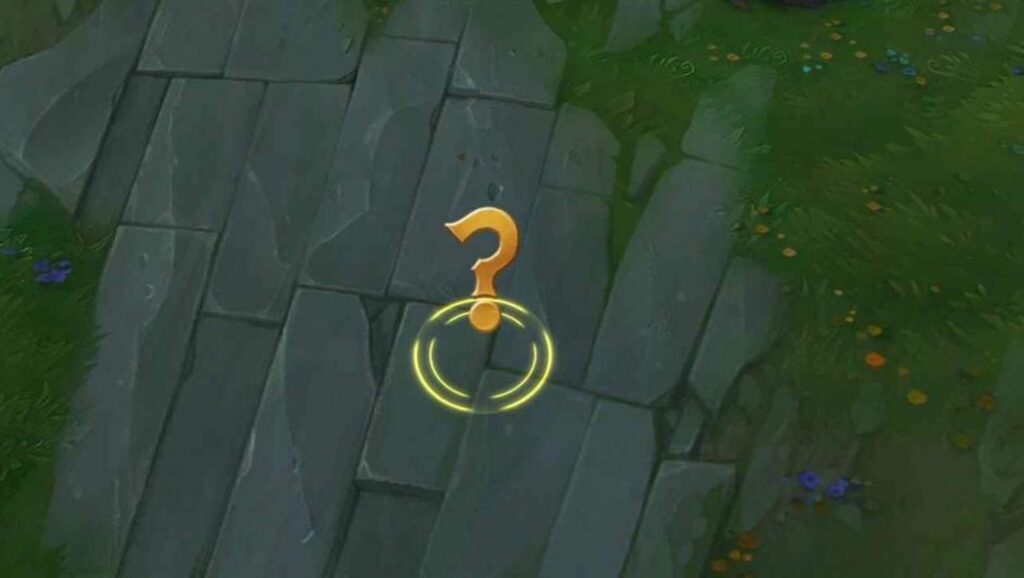
League of Legends ping
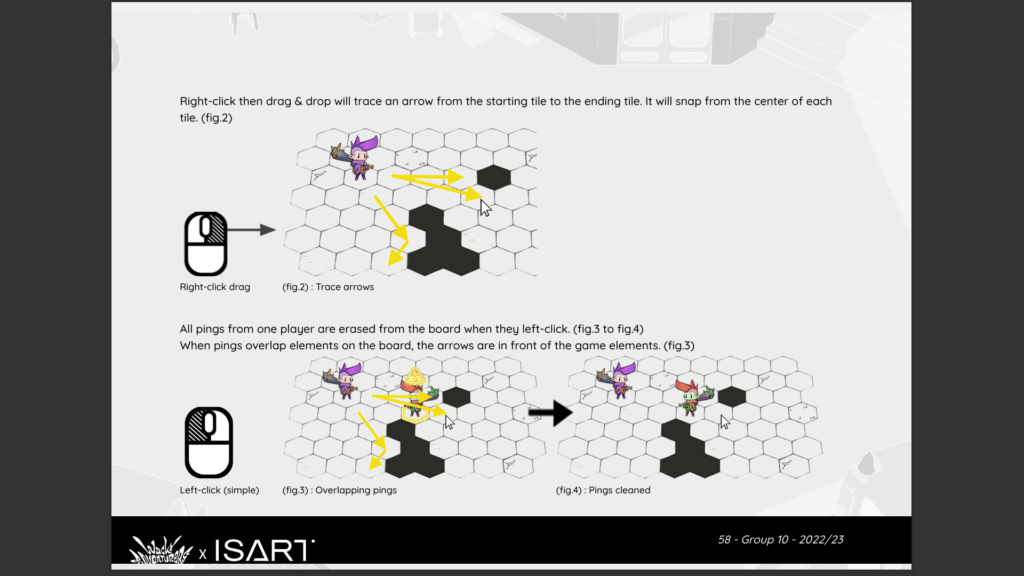
Early idea of drawing on the screen
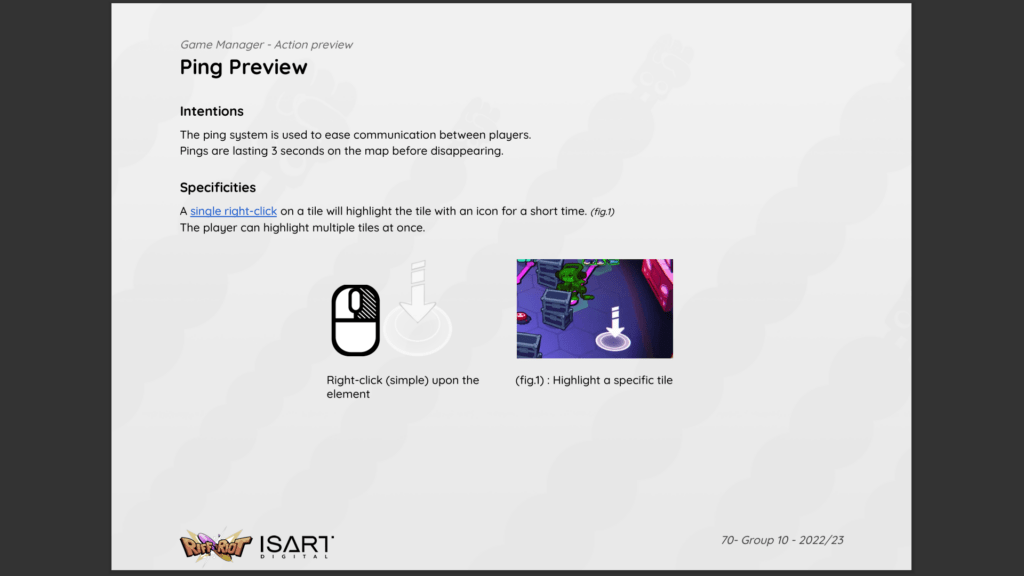
Simplification to a one-tap coloured ping
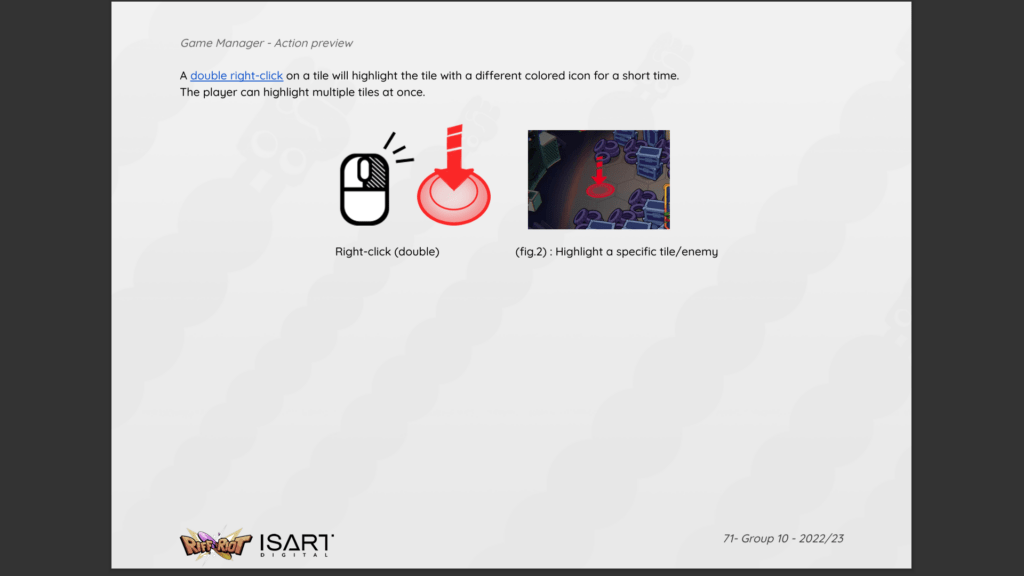
Secondary colour for nuance